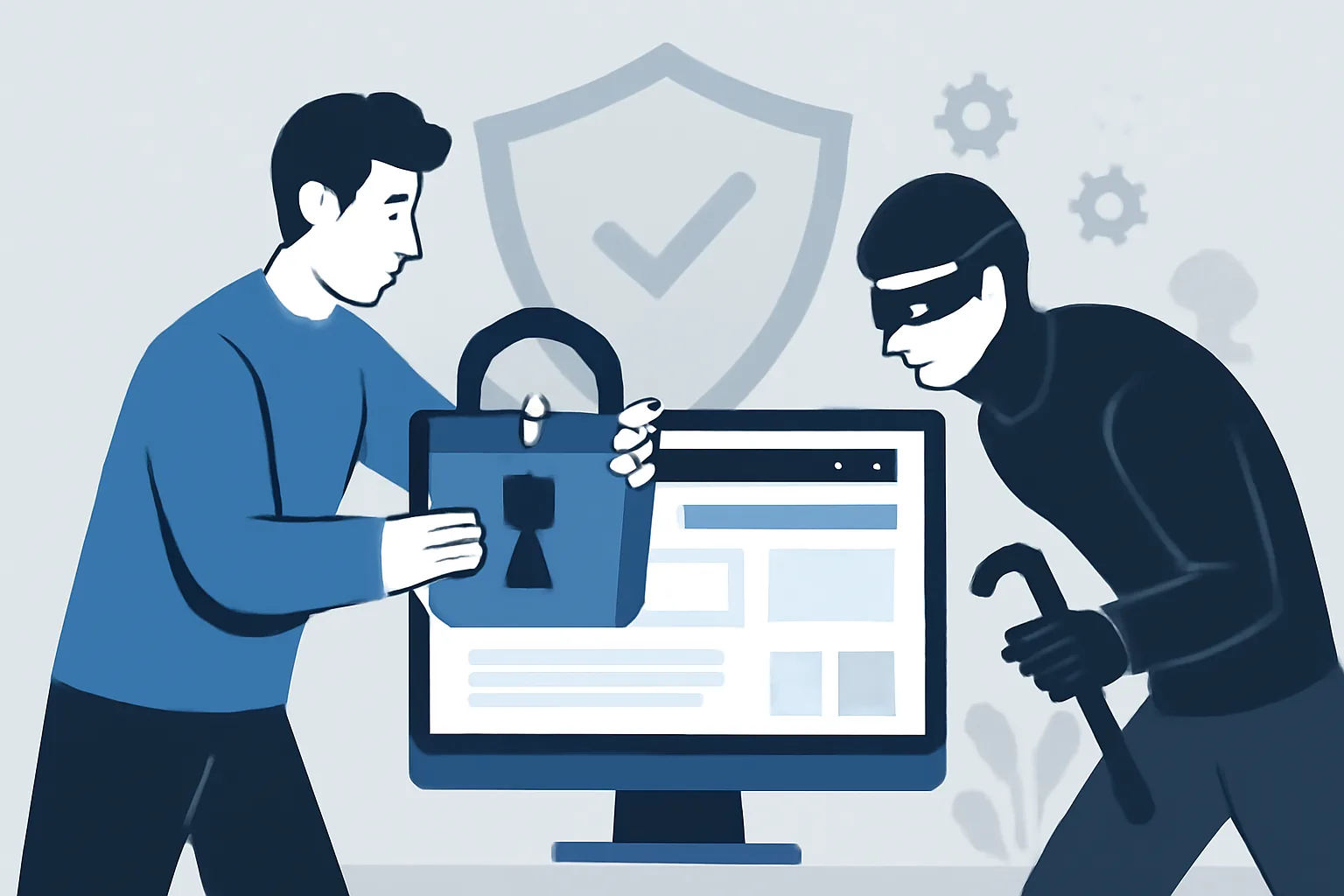
How to Protect a Corporate Website from Hacking: A Step-by-Step Guide
A corporate website is rarely hacked “just because.” More often, it is chosen as a convenient entry point: it stores contact details, inquiry forms, admin access, and sometimes integrations with CRM systems, email, and internal services. An attack can start with something so small it’s easy to miss: a weak password, an outdated plugin, a poorly configured hosting setup, or an email that someone on the team replied to too quickly. And the larger the site, the more such risk points it has.
If you look at the task calmly and pragmatically, website security is not one “powerful” tool, but a chain of decisions: from auditing the current state to ongoing monitoring. In that sense, corporate website security best practices are less about one-off fixes and more about consistent habits. And many measures do not require a complex architecture. Much more often, the problem is not a lack of technology, but a lack of discipline. Below is a practical guide that will help you build website security without unnecessary drama, but also without false reassurance.
1. Why a Corporate Website Becomes a Target
Corporate websites usually have a predictable structure, many standard components, and clear administration logic. That’s convenient for business — and for attackers too. The most common scenarios are fairly routine.
- Password guessing for the admin panel and email. Weak or reused passwords remain one of the main causes of compromise.
- CMS and plugin vulnerabilities. Old engine and extension versions often contain known flaws that are actively scanned automatically.
- Phishing. An employee receives an email “from support” or “from hosting,” enters their login and password — and the attacker now has access.
- Malicious injections. SQL injections, XSS, and other code-injection scenarios can be used to steal data, alter pages, or upload a web shell.
- Compromise of hosting or a neighboring account. If the server or environment is configured carelessly, one problem can quickly turn into a chain reaction.
It’s important to understand this: attackers do not target only “large and visible” sites. Automated bots scan the internet every day looking for weak websites. If a corporate resource is unprotected, it simply becomes another target on the list. In that sense, website security is not a one-time article, but an ongoing management task.
2. Assessing the Current State of the Website and Its Risks
You should start not with buying “protection,” but with an inventory. Until you know exactly what is installed, who has access, and how often the system is updated, it is premature to talk about real protection. An audit helps you find weak spots before someone else does, and a website security audit checklist is a practical way to make sure nothing obvious gets missed.
The first step is to determine what the site runs on. You need to know the CMS version, the theme in use, the list of plugins, additional modules, and third-party libraries. For corporate websites, this is especially important: a project often lives for several years, and its technical stack changes more than once during that time. Something was installed “temporarily,” something was forgotten and never disabled, something was updated manually and no one remembers how.
Next, access permissions are reviewed. Who has administrator rights? Do all of them really need those rights? Are there separate accounts for contractors? Are shared logins being used — convenient to work with, but impossible to manage properly? Shared accounts are one of the most unpleasant sources of risk, because it becomes difficult later to determine who did what.
Another important area is backups. Having backups does not automatically mean they can be used. Too often, copies are created irregularly, stored on the same server, or have not been tested for restoration in a long time. In an incident, such “protection” may turn out to be an illusion.
Don’t forget the SSL certificate, event logs, and file and directory permissions. Logs often show login attempts, suspicious requests to the admin panel, authorization errors, and uploads of strange files. It’s the boring part of the job, but it often provides the first signs of a problem.
It is practically useful to put everything into one list:
- which CMS is used and what version it has;
- which themes and plugins are installed;
- who has access to the admin panel, hosting, and domain;
- how and where backups are stored;
- whether SSL is enabled and configured correctly;
- whether event logs are kept and who reviews them;
- what permissions users and service accounts have.
This kind of audit is the foundation of website security. Without it, any further setup will be partial and somewhat guesswork.
3. Setting Up Basic Website Protection
Basic website protection starts with the obvious. Yes, it seems too simple to mention — but that is exactly where people most often cut corners. And then they spend ten times more on recovery.
First: passwords. Strong, unique, and not reused across services. The admin panel, email, hosting, domain, FTP/SFTP, and databases — all of them should have different credentials. If a password is already used somewhere else, it cannot be considered secure. And yes, keeping all of them in one note on the desktop is not a great idea.
Second: MFA/2FA. Multi-factor authentication significantly improves resistance to password guessing and interception. For a corporate website, this is especially useful for all critical access points: admin panel, hosting, domain registrar, and corporate email.
Third: restrict admin access. If possible, limit access to the control panel by IP address or at least make it available only through a VPN. This is not a cure-all, but it is a good filter against mass attacks. IP whitelists, where appropriate, also help reduce the attack surface.
Fourth: protection against brute force. This includes limits on login attempts, temporary lockouts after repeated failures, CAPTCHA on login forms, and changing default login paths if the platform supports it. Convenience has to be sacrificed a little here for peace of mind.
Fifth: remove what you don’t need. The fewer active users with administrator rights, the better. Permissions should be limited to the minimum necessary: an editor does not need server settings access, and a content contractor does not need database access. The narrower the permissions, the smaller the damage in case of an error or compromise.
In practice, basic protection works better when it is not a set of random settings, but a clear standard. Then a new employee does not have to invent the rules from scratch — they simply follow the established process.
4. Updates, Vulnerabilities, and Third-Party Component Control
Most corporate website problems are not caused by the CMS itself, but by everything around it. Plugins, themes, libraries, analytics modules, contact forms, sliders, widgets — any third-party component can become the weak link. That is why regular updates matter so much.
You need to update not only the CMS, but also server software, libraries, and supporting services. Old versions of PHP, databases, or web servers may contain vulnerabilities that have long been known. The same applies to popular plugins: if an extension has not been supported for a long time, it is better to replace or remove it.
Another useful habit is not to keep anything on the site that you do not use. Inactive modules, old templates, test plugins, temporary integrations — all of that is extra risk. The more components you have, the harder they are to control. Ideally, only what is actually being used should remain on the server.
Before updating, it is worth checking compatibility. This is especially important if the project is large and the website is connected to CRM, a catalog, payments, or internal APIs. A direct update can sometimes break a lead form, styling, authorization, or exports. So it is better to test changes first on a copy of the site or in a staging environment.
A good practice is to keep a simple change log: what was updated, when, by whom, and with what result. It sounds a bit bureaucratic, but when something breaks, such a log saves a lot of time. And, just as importantly, it helps identify which update caused the issue.
5. Server and Network Security for the Website
Even if the CMS itself is configured carefully, the server or network may still be vulnerable. The hosting platform, directory permissions, firewall settings, file uploads, and the admin panel all affect overall security just as much as the WordPress password or that of any other system.
Start with HTTPS/SSL. Connection encryption is not decoration — it is a basic requirement for any corporate website. It protects transferred data from interception and increases user trust. But a certificate alone does little if the site also exposes forms without restrictions and lets anyone into the admin area.
At the hosting level, firewalls and WAFs are useful. A firewall filters out some suspicious traffic, while a WAF helps block typical web attacks, including injection attempts and malicious requests. For projects with higher traffic or sensitive data, this is especially relevant.
File uploads deserve special attention. If the site allows documents, images, or media to be attached, you need to strictly limit allowed file types and inspect their contents. The risk is obvious: someone may try to upload executable code disguised as an image. It is better to anticipate such scenarios before an incident, not after.
Directory and file permissions should be minimal. Excessive permissions often create opportunities for escalation whenever a local issue appears. It is also important to isolate server accounts: if one website is hosted alongside another, compromising one project should not automatically open the door to all the others.
Do not forget about administrative panels. If possible, they are best protected not only by a password, but also by an additional access layer: VPN, IP filtering, or a closed network segment. This is especially sensible for corporate websites where the admin panel is not needed every day, but on a schedule.
For projects with similar architecture and a strong dependency on infrastructure, it is also worth studying related cases, for example private network infrastructure: VPN & proxies. It clearly shows how network decisions affect the overall security perimeter.
6. Backups and an Incident Recovery Plan
Backups are needed not “just in case,” but as part of normal operational discipline. A site can break after an update, be damaged by an employee mistake, get infected, or simply stop working due to an unexpected failure. And in each of these cases, a backup saves time, money, and nerves.
A proper backup scheme usually includes several principles. Backups should be created regularly, stored separately from the main server, and protected from unauthorized access. It is desirable to have several generations of backups: not only the latest one, but also earlier versions. This helps if the infection is discovered late.
It is very important to test restoration periodically. A backup that has never been restored is still only theory. A restore test will show whether the archives are damaged, whether they contain enough data, and whether important service files or configurations were forgotten.
If an incident does occur, it is best to keep the response plan ready in advance. It usually looks like this:
- Disable the vulnerable service or restrict access to the admin panel.
- Change passwords and revoke suspicious sessions.
- Check logs to determine the source and scale of the problem.
- Remove or isolate malicious files and scripts.
- Roll back to a clean backup if that is safer than manual cleanup.
- After recovery, recheck access, updates, and the weak spots through which the breach occurred.
In practice, recovery time depends on how well the plan was prepared. If that plan exists only in someone’s head, the incident will almost certainly drag on. That is why it is worth turning it into a short internal procedure and keeping it somewhere accessible.
7. Ongoing Monitoring and Security Procedures
Website security cannot be “set up once.” It is a process that lives as long as the site itself. Threats change, the team changes, contractors change, and along with them the real access landscape changes too. That is why continuous monitoring is needed.
First of all, logs should be reviewed regularly. You do not have to read them manually every day, but it is important to set up at least basic monitoring: failed login attempts, unexpected file changes, requests to forbidden pages, traffic spikes, authorization errors. These are the kinds of signals that often appear before the consequences become visible.
Alerts for suspicious activity are useful. For example, if someone suddenly starts guessing the admin password, if the file structure changes unexpectedly, or if unknown changes appear in templates. The sooner you know about a problem, the easier it is to contain it.
Another layer is regular malware scanning. It helps detect hidden injections, suspicious files, and modified scripts. For a corporate website, this is especially important because infections often remain invisible for a long time: the site appears to work normally, but it is already being used for something else.
Periodic access reviews should also become routine. An employee leaves — access must be closed. A contractor finishes the job — their account must be disabled. A new person gets permissions — you need to confirm they actually need them. Otherwise, over time, the admin panel turns into a warehouse of forgotten accounts.
Finally, short instructions are needed for employees. How to recognize a phishing email. Whom to notify about a strange login window. What to do if a password may have been compromised. How to verify a request from “technical support.” These rules should not be bulky, but they must be clear and accessible.
If the site already has ongoing support, it is better to build security into the workflow itself. This is one of those cases where website support after launch is not an abstract service, but part of real-day operations.
Conclusion
Protecting a corporate website from hacking is not a magic setting and not a one-time plugin purchase. It is systematic risk management: first an audit, then basic protection, then updates, server-side measures, backups, and continuous oversight. If you approach it systematically, the site becomes a much less convenient target and much more predictable to operate.
The good news is that most of these steps can be implemented without heroics. The bad news is that it is usually too easy to keep putting them off. So it is wiser to treat website security as part of the normal responsibility for a digital asset. Like bookkeeping, only with a slightly more nervous personality.
